 FAQ
FAQ
FAQ
FAQ
On-premise servers support SSL certificates. If you have your own certificate, you'll need to apply for and purchase it separately, and then install the purchased certificate on your server.
Before replacing the certificate, follow these steps to ensure and enable SSL connections:
1. SSL_ENABLED=true.
2. SERVER_NAME=localhost.
3. After saving, restart the Ragic Service.
4. Open "Edge" on the server and enter: https://localhost to confirm that it is enabled.
Once you have confirmed that SSL is successfully enabled, you can proceed with the following steps to replace it.
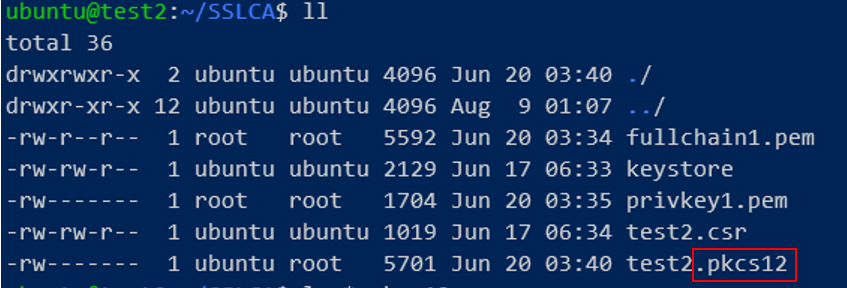
1. Before you begin, make sure the prepared CA certificate is a PKCS#12 file. For more information, see https://en.wikipedia.org/wiki/PKCS_12. In this case, it should be like this:
2. Locate the "keystore" file. By default, it is stored Your Ragic Home Folder like this:

3. Add the prepared CA certificate to the keystore so that it is recognized as a valid certificate. Run the following command, making sure to replace YourCA.pkcs12 with your own certs.

4. In the Password text field, enter the password for the certificate file.
5. Restart Ragic Service, and you’re all done.
 Thank you for your valuable feedback!
